
App
A route made to measure
Instead of choosing between ready-made routes, decide for yourself what you want to experience. All you need to do is tell the app where you are starting from and where you want to go, and it will take care of the rest.
01 · How it works
How it works
- Step 1
The network is already there
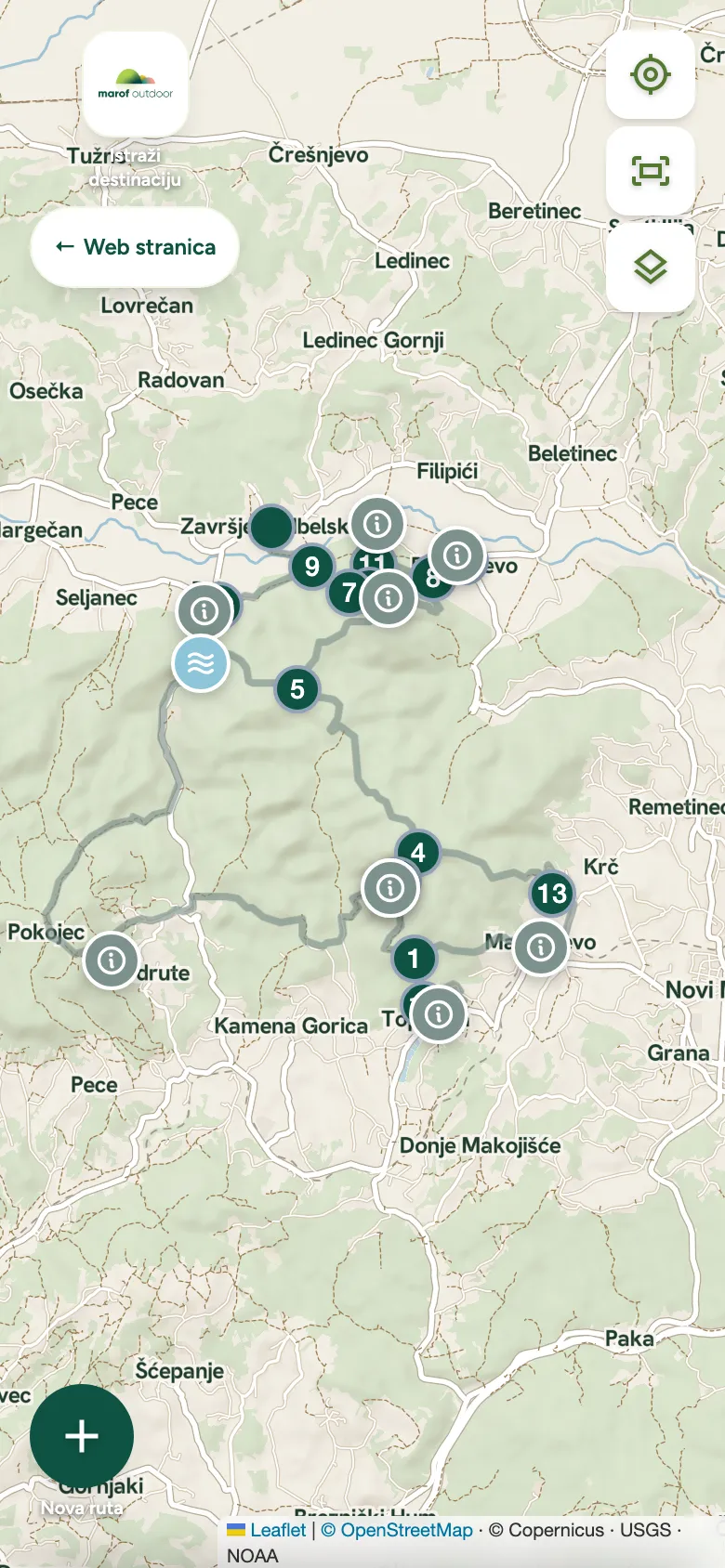
We have broken down all the trails, forest and farm tracks and the roads linking them into sections between junctions. We measured each one — length, ascent and surface.
- Step 2
Choose a start and a finish
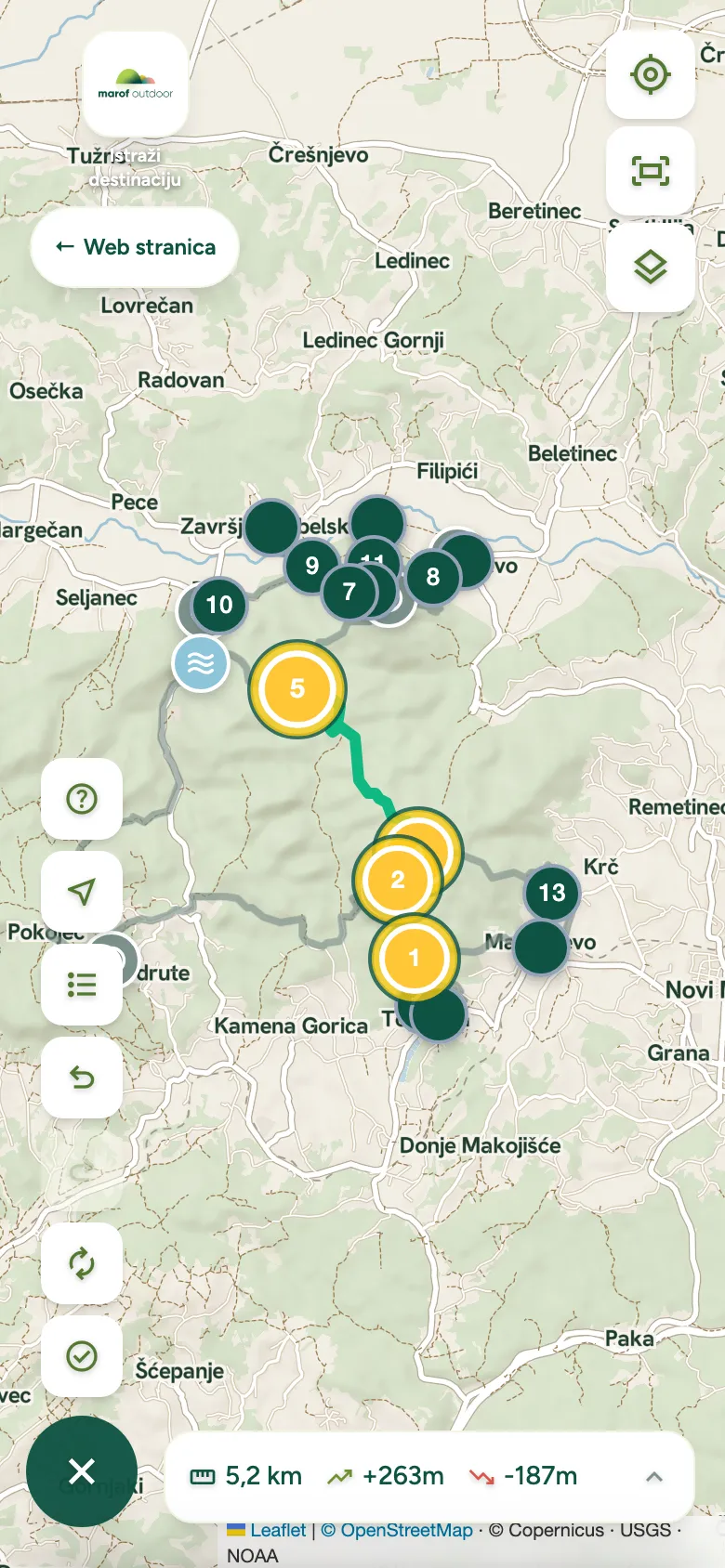
Tap the place where you parked and the place you want to go to. You can also add waypoints if you want to pass a viewpoint or a spring, or make the route a loop and return to the start.
- Step 3
Get a route with the numbers
The app will join up the best sections and immediately show you the distance, the metres of ascent and roughly how long the adventure will take. If the route shown doesn’t suit you, change the destination and try again.
02 · Why
Why not just an ordinary map
Navigation apps know motorways and roads, public transport timetables and how bad the traffic is coming into Zagreb, but they don’t know whether a forest track is passable, whether it goes through a private yard or ends in a thicket. Our app contains only sections that have been checked on the ground and are regularly maintained by the Tourist Board of the Town of Novi Marof.
Because the route you get is not a guess, but a real path.
Works without signal
Save the route and map before you set off and everything will work regardless of mobile coverage.
Shows where you are
Your position on the map is shown in real time, so there’s no wandering about at junctions.
SOS with coordinates
If you ever need help, the screen shows your coordinates and the emergency numbers to call.
03 · Installation
How to add it to your phone
No app store and no account.
- STEP 1
Open the app in your phone’s browser.
- STEP 2
Open the browser menu.
- STEP 3
Choose “Add to Home Screen”.
The app installs without an app store: open it in your phone’s browser and choose “Add to Home Screen”.